
Sealed 1.0 is here · free Chrome extension
Hide private data before it reaches AI
Sealed swaps CNICs, phone numbers, IBANs, emails and API keys for labels before you paste into an AI chat, then puts the real values back into the reply.
Launch video
Sealed in 23 seconds
How it works
Four steps, all on your device
- 1
Paste
Open Sealed from the Chrome toolbar and paste what you want to ask. Private details light up straight away.
- 2
Check
Click a highlight to keep it visible, or select anything else (a name, an address) to hide it too.
- 3
Hide & copy
Sealed swaps each value for a label like [CNIC_1] and copies the text. Paste it into any AI chat.
- 4
Restore
Paste the AI’s reply back. Every label turns into the real value again, ready to copy.
Live demo
Try it right here
Edit the text, add a name, or change the AI's reply. This is the extension's real engine.
This demo runs the extension's real detection code inside this page. Nothing you type here is sent anywhere.
Screens
A look inside
Sealed lives in Chrome's side panel, next to whatever AI chat you use.
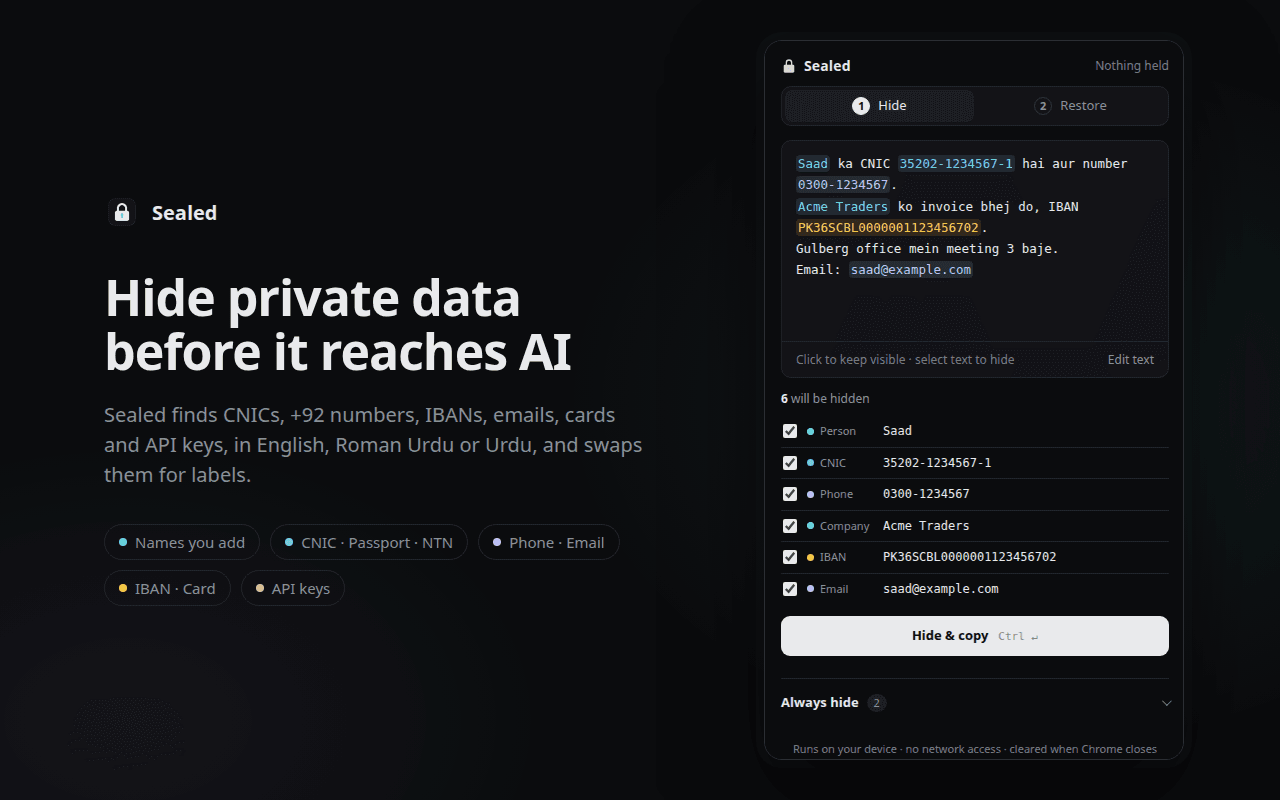
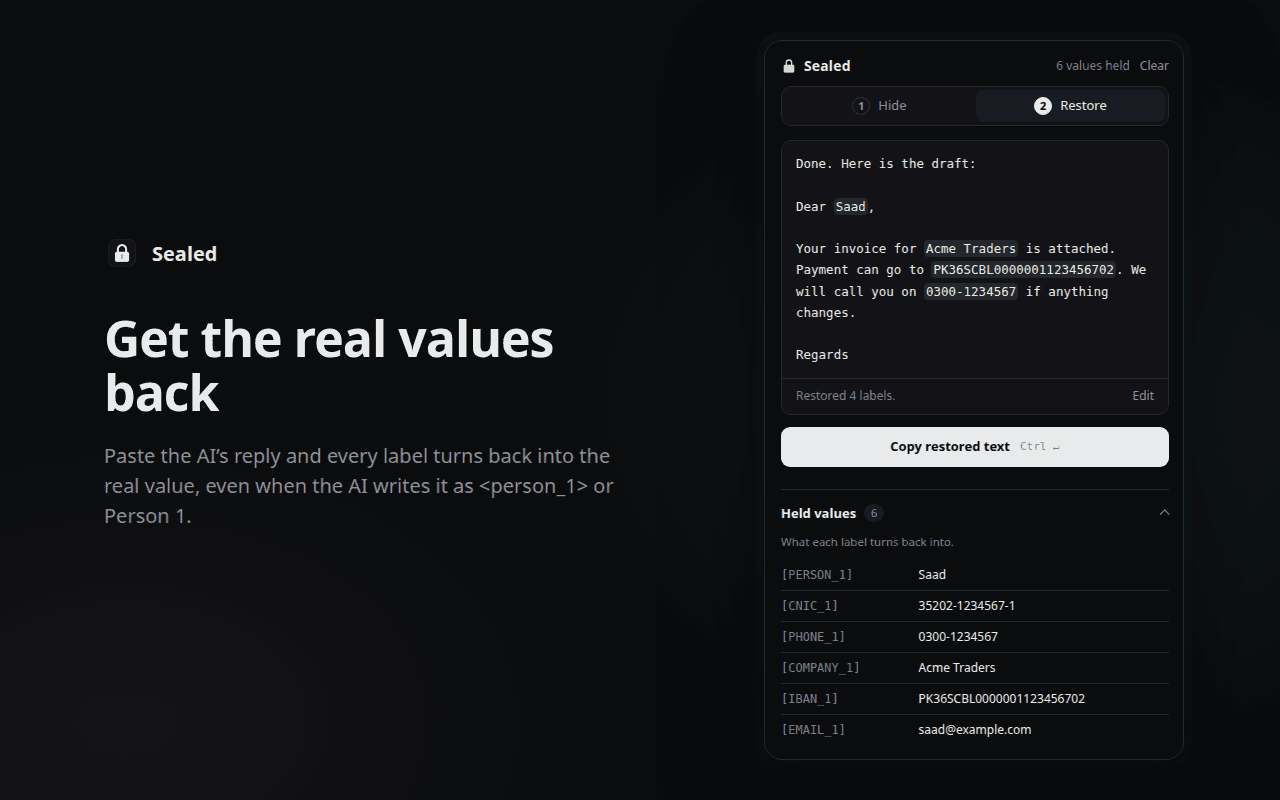
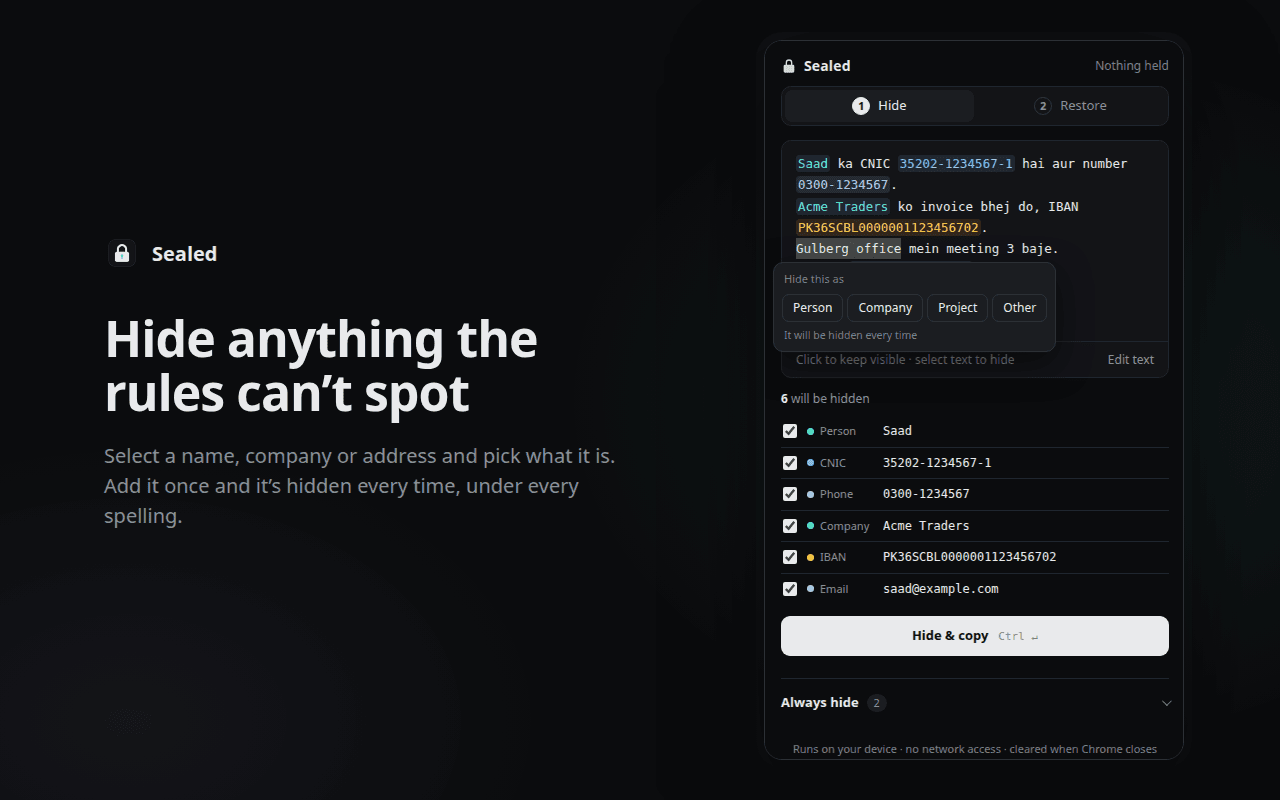
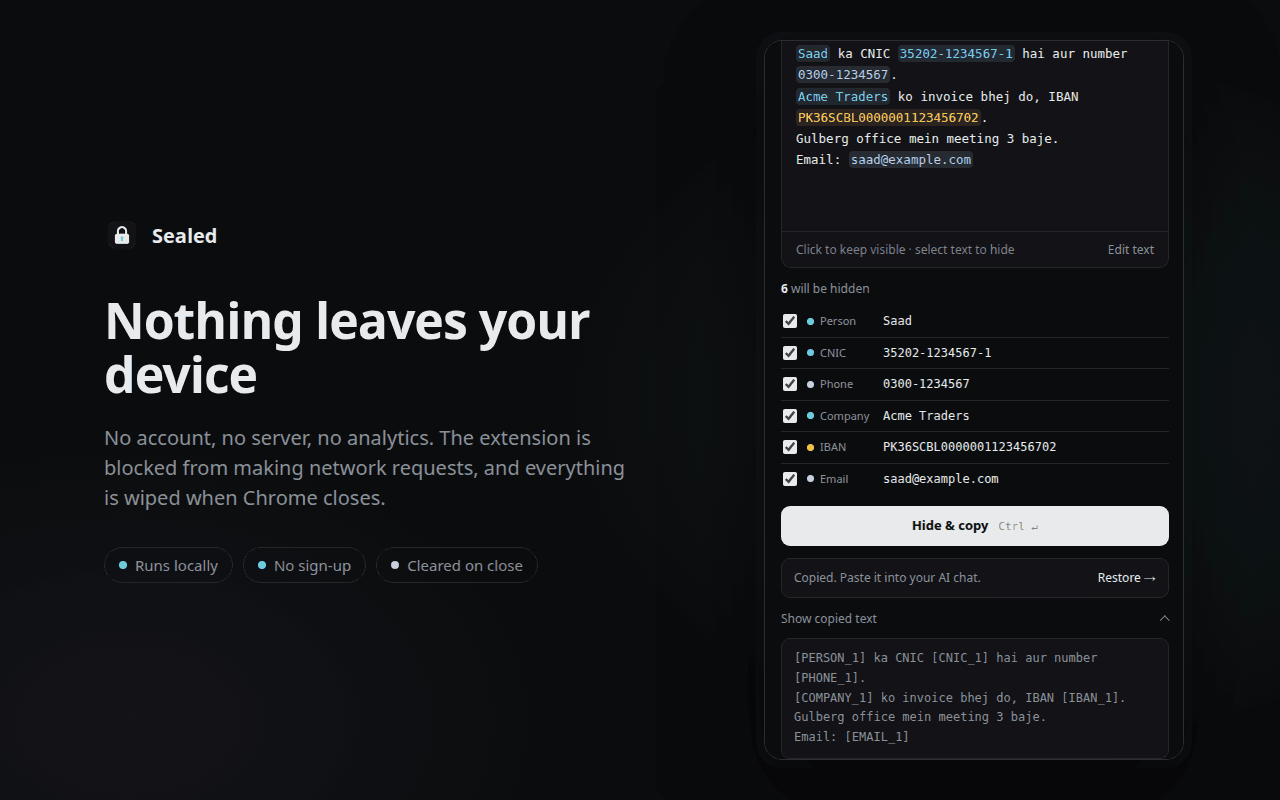
Every private value is highlighted and listed. One click on Hide & copy and the safe text is on your clipboard.
What it finds
Built for Pakistani data
Most tools stop at English names and US phone numbers. Sealed knows the formats you actually paste.
CNIC
With or without dashes. Tells a CNIC from a 13-digit order number.
35202-1234567-1[CNIC_1]
Mobile numbers
0300-1234567, +92 300 1234567, 0092… any format, one label.
+92 300 1234567[PHONE_1]
IBAN
Pakistani IBANs, spaced or not, checked with the IBAN checksum.
PK36 SCBL 0000 0011[IBAN_1]
Card numbers
Visa, Mastercard and other cards, verified with the Luhn check.
4111 1111 1111 1111[CARD_1]
Email
Any address, wherever it appears.
sana@example.com[EMAIL_1]
API keys
OpenAI, Anthropic, GitHub, AWS, Google, Slack, Stripe, JWTs, and random-looking unknown keys.
sk-proj-FAKE…[API_KEY_1]
Passport & NTN
When the text mentions passport, NTN or FBR.
NTN 1234567-8[NTN_1]
Your names
People, companies and projects you add once, under every spelling.
Sana Tariq[PERSON_1]
Privacy
Nothing leaves your device
There’s no server to trust, because there isn’t one.
Your device · Chrome
- No account or sign-up
- No analytics, tracking or ads
- Blocked from making any network request
- Never reads the websites you visit
- Wiped from memory when Chrome closes
FAQ
Questions
Which AI chats does it work with?
All of them. Sealed works on the text itself, so you can paste the result into ChatGPT, Claude, Gemini, Copilot, DeepSeek or anything else.
Does it read the websites I visit?
No. It has no access to web pages. It only sees what you paste into its own side panel.
Where are my names and the real values kept?
In Chrome’s in-memory session storage, inside the extension. Nothing is written to disk or synced, and it’s all wiped when Chrome closes, or right away with Clear.
What if the AI changes the labels?
Sealed still restores them. [PERSON_1], <person_1>, Person 1 and PERSON-1 all turn back into the same name.
Does it understand Roman Urdu and Urdu?
Yes. Detection works in English, Roman Urdu and Urdu script, and it won’t mistake words like “ko invoice bhej do” for a name.
Can it catch every name automatically?
No tool can do that reliably with rules alone, so Sealed doesn’t guess. Add names under Always hide once, or select them in your text, and they’re hidden every time.
Is it free?
Yes. No account, no subscription, no ads.
[CNIC_1][PHONE_1][IBAN_1][API_KEY_1]
Paste with confidence
Free, no account, and nothing ever leaves your browser.
Coming soon to Chrome